

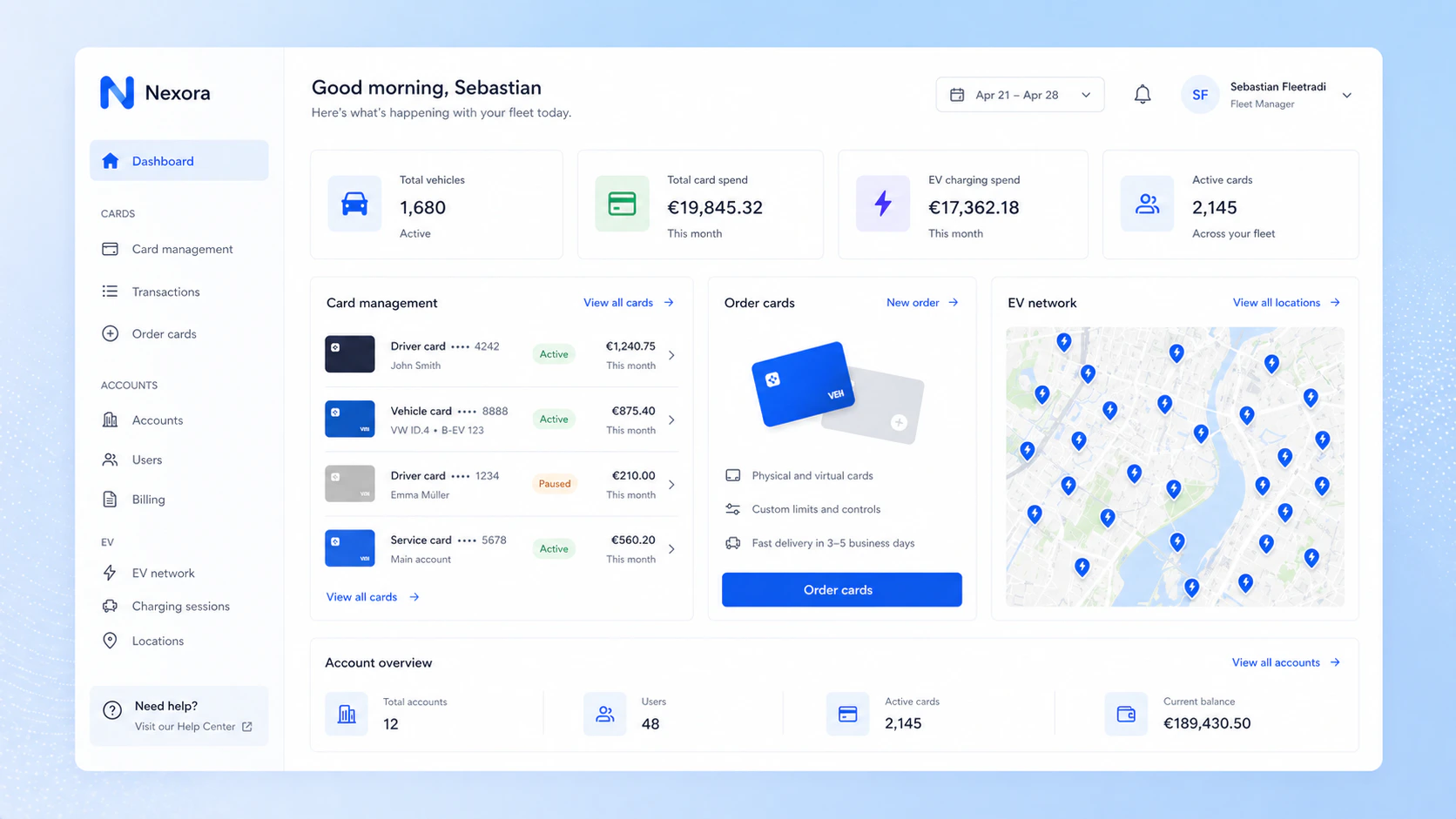
What Is a Fleet Portal?
A fleet portal is a web-based interface where fleet managers can oversee and manage all aspects of their charging operations. This typically includes:- Ordering and managing charging cards
- Managing fleet accounts and sub-fleets
- Monitoring activity and transactions
- Analyzing usage and costs
Order and Manage Charging Cards
With the Fleet API, companies can:- Order new charging cards for drivers
- Assign cards to specific users or vehicles
- Block, unblock, replace, or cancel cards
Manage Accounts and Fleet Structure
Many fleets operate in multiple countries or manage different customer accounts. Fleet API supports account structures that reflect real-world fleet setups. A company can create and manage fleet accounts (e.g., per country or business unit) and organize drivers and cards accordingly. This makes it possible to:- Separate fleets by region or client
- Assign cards to specific fleet entities
- Maintain a clear structure as the fleet grows
Access and Analyze Transaction Data
A key part of fleet management is understanding usage and costs. Through the Fleet API, companies can access detailed transaction data, including:- Charging sessions per card or vehicle
- Time, location, and energy consumed
- Cost-related information
- Monitor charging behavior
- Identify cost drivers
- Optimize charging policies
Why Build Your Own Portal?
Building a fleet portal with the Fleet API offers several advantages:- Full control over user experience and branding
- Integration into existing IT systems or fleet management software
- Flexibility to adapt to specific fleet requirements
- Scalability across markets and customer segments
Summary
In short, Fleet API enables you to create a tailored fleet charging solution—covering card management, fleet structure, and transaction insights—all within your own portal.